

Snow Removal Plus Lawn Enhancement for Listing Photo

Snow removal editing helps winter listings look their best. Imagine a home hitting the market in the middle of January. The yard, driveway, and lawn sit under a white blanket. Buyers cannot tell how big the property really is, and they cannot imagine summer evenings in the garden.
In this article, you will see how snow removal and lawn enhancement work together. As a result, the home shows its true size and its best side. You will also learn how to keep every edit honest and how to avoid common mistakes.
Why Snow Removal Matters for Winter Listings
Winter hides what makes a property special. Snow covers the lawn, the garden, and the walkways, so buyers see only white. Snow removal editing brings those features back into view. It can fix a lot in one photo:
- Walkways, driveways, steps, and porches
- Snow piled on roofs, fences, and outdoor furniture
- Footprints and tire tracks across the yard
- Flat light and cold blue tones caused by snow reflection
Each fix helps buyers see the property clearly. Therefore, they can focus on the home instead of the weather. Moreover, clean outdoor photos make the whole listing feel more complete. Interior shots also feel warmer when the exterior photos look inviting.
5 Ways Lawn Enhancement Works With Snow Removal
Snow removal is only the first step. After the snow disappears, the grass underneath often looks dull and patchy. Lawn enhancement finishes the job, so the whole yard looks cared for. Together, the two edits give buyers a clear picture of the property in spring or summer.
1. Revealing a Clean Yard Edge
After the snow disappears, the shape of the yard must stay accurate. Editors define the lawn edge, the flower beds, and the path. For example, a curved garden border keeps its real shape. Buyers then judge the space correctly. This step also protects the honesty of the photo, because the layout never changes.
2. Greening Dormant Grass
Winter grass often looks yellow or brown. Editors shift the color toward a soft, natural green. However, they avoid a bright, fake tone. A believable lawn builds trust, while an over-green one raises doubts. Comparing the grass with nearby trees helps check that the green still feels natural.
3. Patching Small Bare Spots
Small bare patches can distract the eye. Editors blend them into the surrounding grass, so the lawn looks smooth. Meanwhile, they leave major problems visible. Large damage should never disappear from a photo. Buyers deserve to see the real condition of the yard.
4. Restoring Natural Light and Color
Snow reflects light and casts a cold blue tint on everything. Editors warm the tones on the roof, the walls, and the doors. As a result, the house looks inviting instead of icy. Moreover, balanced light makes the photo feel more real. Warm tones also make buyers want to step inside.
5. Keeping Edges Natural
Poor edits leave bright halos around trees and fences. To avoid this, editors refine each edge by hand. Then they zoom in to check every branch and corner. Clean edges make the edit invisible. In fact, the best snow removal editing looks as if nothing was changed at all.

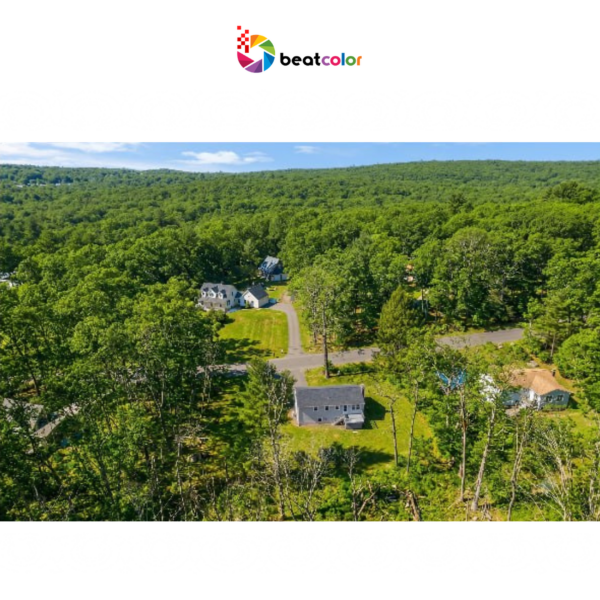
How to Use Snow Removal Editing Honestly and Effectively
Snow removal editing works best in the right situations. Use it when a listing is shot in winter but sells in spring or summer. It also helps large yards, where buyers need to see the full property. In addition, it keeps the photos of one listing consistent. Agents who share listings on social media benefit as well, since clean images look better in small previews.
Avoid it when the yard has real issues. For instance, buyers should know about poor drainage or a cracked foundation under the snow. Honest editing shows the true condition of the property. If you feel unsure, ask the listing agent before you edit.
Honesty also protects your reputation. Never hide damage or add trees and buildings that do not exist. Follow your local MLS rules, and mention the edit in the listing when required. You can also keep one original photo in the set.
A few shooting habits make snow removal easier:
- Shoot RAW with several exposures
- Walk the yard before you shoot, so you avoid new footprints
- Keep the camera level
- Send a short brief that lists what to remove and what to keep
Common Snow Removal Editing Mistakes to Avoid
Even skilled editors can slip up. Watch for these frequent errors:
- Over-saturated grass that looks painted on
- Missing shadows, which make objects float
- Halos around trees, fences, and rooflines
- Snow left in some photos and removed in others
- Edits that hide real problems, such as damage or drainage issues
Most of these errors come from rushing. Therefore, always review each photo at full size before you publish. In addition, compare the edited photos side by side, so the whole set feels consistent. When you find a flaw, fix it right away, because buyers notice small details.
Final Thoughts
Snow removal and lawn enhancement show buyers the real size and charm of a property. Together, they turn a white, flat yard into an inviting space. In short, honest editing helps winter listings compete all year long. It also saves you time, so you can focus on your next shoot.
Beat Color offers 3 free test images, so you can check the quality on your own photos. Our team also explains every plan clearly and sends you a quote before any work begins. In addition, Beat Color runs weekly discounts on photo editing.
Ready to see your own snow removal results? Register for an account today and claim your 3 free test images. Our team will support you from the first photo.