
Portrait Retouching: Complete Guide to Natural and Professional Results
Portrait retouching plays a vital role in modern photography. It enhances images while preserving natural beauty and authenticity.
Today, audiences expect polished yet realistic portraits. Therefore, mastering portrait retouching is essential for photographers and editors.
In this guide, you will learn techniques, tools, and best practices. Moreover, you will discover how to maintain a natural and professional look.
What Is Portrait Retouching?
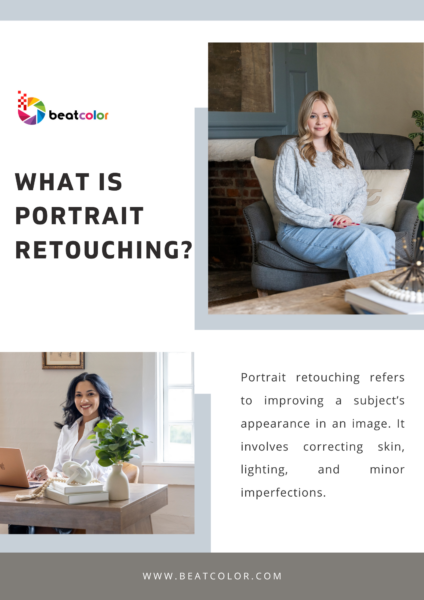
Portrait retouching refers to improving a subject’s appearance in an image. It involves correcting skin, lighting, and minor imperfections.
However, the goal is not to change identity. Instead, it enhances features while keeping the subject recognizable.
For example, retouching may remove blemishes or smooth uneven tones. At the same time, it preserves texture and facial details.
Why Portrait Retouching Matters
First, high-quality portraits create strong first impressions. This is especially important for branding and professional profiles.
Second, retouching helps images stand out in competitive markets. As a result, photographers can attract more clients.
Additionally, consistent editing builds a recognizable visual style. Therefore, it strengthens brand identity over time.
Essential Tools for Portrait Retouching
To achieve professional results, you need reliable tools. Fortunately, many options are available today.
1. Editing Software
Popular software includes advanced photo editing platforms. These tools offer powerful features for precise adjustments.
For instance, they allow layer-based editing and non-destructive workflows. Thus, you can refine images without losing original quality.
2. Retouching Plugins
Plugins speed up repetitive tasks significantly. They also provide automated solutions for skin smoothing and color correction.
However, use them carefully to avoid unnatural results.
3. Graphics Tablets
A graphics tablet improves precision during editing. It allows smoother brush strokes and better control.
Consequently, detailed retouching becomes easier and more accurate.
Step-by-Step Portrait Retouching Workflow
A structured workflow ensures consistent and efficient editing. Below is a proven process used by professionals.
Step 1: Basic Adjustments
Start with exposure, contrast, and white balance corrections. These adjustments create a solid foundation for further editing.
Additionally, fix any color casts in the image.
Step 2: Skin Cleanup
Remove temporary imperfections like acne or dust spots. Use healing tools to blend areas seamlessly.
However, avoid removing permanent features like moles. These elements contribute to the subject’s identity.
Step 3: Skin Smoothing
Apply subtle smoothing to even out skin tones. At the same time, maintain natural texture.
Over-smoothing leads to unrealistic, plastic-looking results. Therefore, moderation is essential.


Step 4: Dodge and Burn
This technique enhances depth and dimension. It involves lightening and darkening specific areas.
As a result, facial features appear more defined and balanced.
Step 5: Color Correction
Adjust skin tones for accuracy and consistency. Ensure the colors look natural under different lighting conditions.
Moreover, refine highlights and shadows for better balance.
Step 6: Final Enhancements
Sharpen important details like eyes and lips. Also, enhance contrast slightly for a polished look.
Finally, review the image at different zoom levels.
Common Portrait Retouching Mistakes
Even experienced editors make mistakes. Understanding them helps you improve faster.
Over-Retouching
Excessive editing removes natural textures. This results in artificial and unrealistic images.
Instead, aim for subtle improvements.
Ignoring Skin Texture
Skin texture adds realism to portraits. Removing it completely makes the image look fake.
Therefore, always preserve fine details.
Incorrect Color Tones
Poor color correction can distort skin tones. This often happens under mixed lighting conditions.
To avoid this, use reference points and calibrated screens.
Over-Sharpening
Too much sharpening creates harsh edges. It also introduces unwanted noise in the image.
Thus, apply sharpening selectively and carefully.
Tips for Natural-Looking Portrait Retouching
Achieving natural results requires both skill and restraint. Here are practical tips to guide your process.
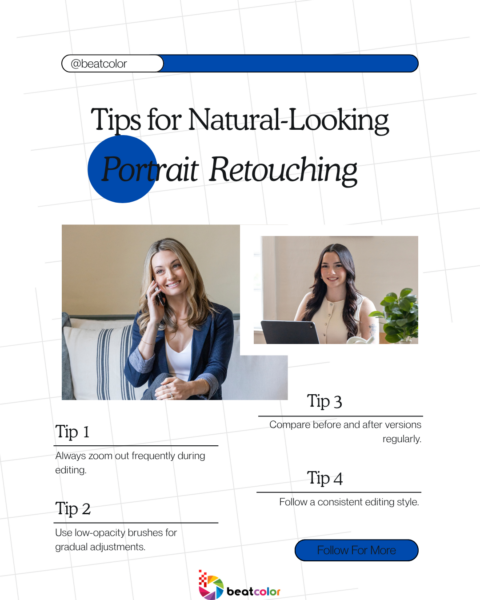
First, always zoom out frequently during editing. This helps you evaluate the overall image balance.
Second, use low-opacity brushes for gradual adjustments. This ensures smoother transitions between edited areas.
Third, compare before and after versions regularly. This prevents over-editing and maintains realism.
Additionally, follow a consistent editing style. Consistency improves efficiency and strengthens your portfolio.
Portrait Retouching for Different Purposes
Different projects require different retouching approaches. Understanding these differences is crucial.
Professional Headshots
Headshots require clean and polished results. However, they must still look natural and trustworthy.
Fashion Photography
Fashion retouching often involves more dramatic edits. It emphasizes flawless skin and bold visual impact.
Social Media Portraits
Social media images benefit from vibrant and engaging edits. However, authenticity remains important to audiences.
SEO Benefits of High-Quality Portrait Images
Optimized images improve website performance significantly. They also enhance user experience and engagement.
For example, high-quality portraits increase time spent on pages. This signals value to search engines.
Additionally, properly named image files support SEO efforts. Use relevant keywords like portrait retouching in filenames.
Alt text also improves accessibility and search visibility. Therefore, include descriptive and keyword-rich alt text.
Future Trends in Portrait Retouching
Technology continues to transform portrait retouching rapidly. New tools make editing faster and more accessible.
For instance, artificial intelligence automates many processes. However, human creativity remains essential for quality results.
Moreover, natural editing styles are becoming more popular. Audiences increasingly prefer authentic and relatable images.
Therefore, subtle retouching will dominate future trends.
Final Thoughts
Portrait retouching is both an art and a technical skill. It requires attention to detail and a strong aesthetic sense.
By following structured workflows, you can achieve consistent results. At the same time, avoid common mistakes to maintain realism.
Most importantly, focus on enhancing natural beauty. This approach creates timeless and impactful portraits.
With practice and the right tools, your skills will improve steadily. As a result, you will produce professional and visually compelling images.
Read more:
Top Tips for Successful Property Photography
Real Estate Video Editing vs Photography: Which Converts Better in 2026?
Furniture Replacement Real Estate Photos: Turning Ordinary Listings Into Buyer Magnets