
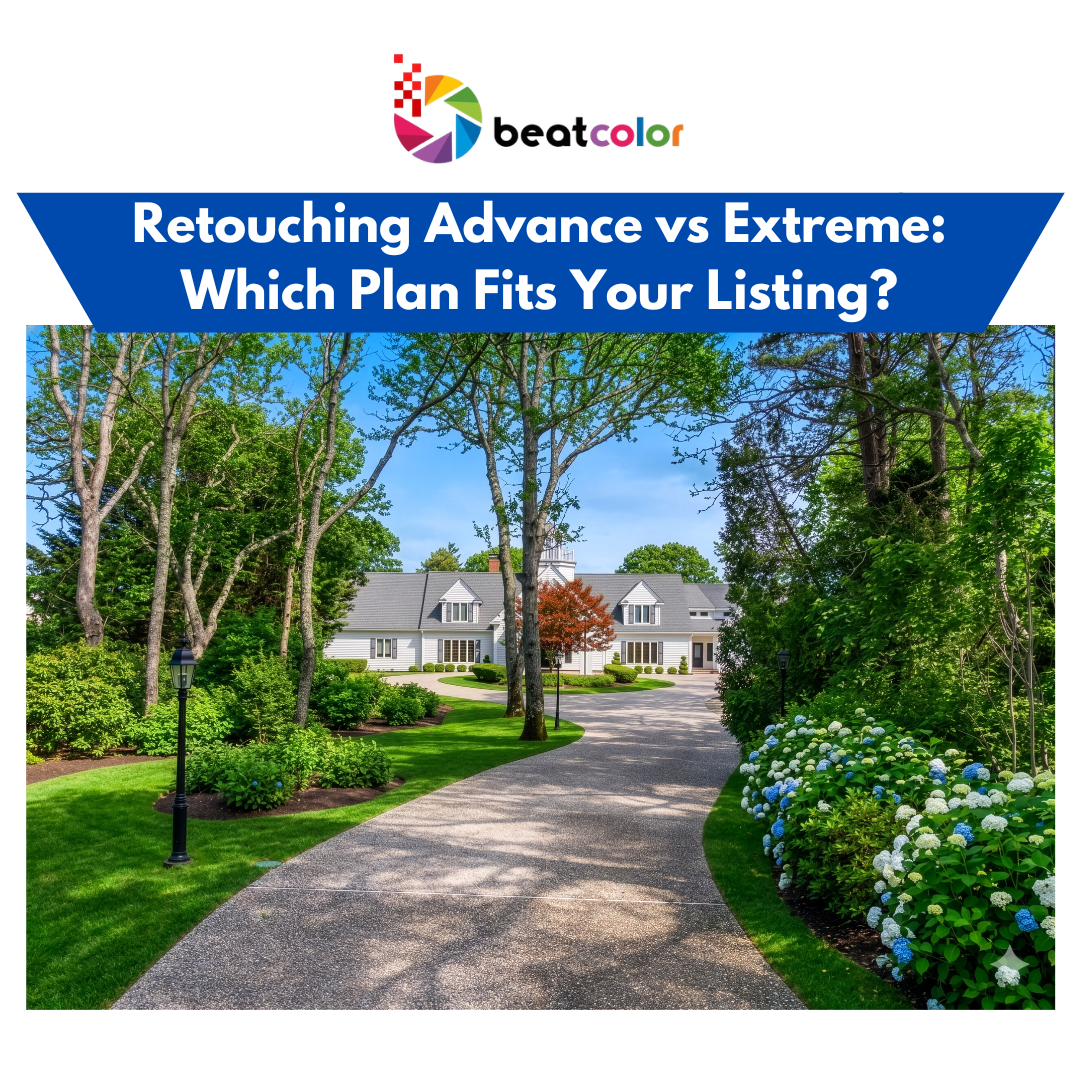
Retouching Advance vs. Extreme: Which Plan Fits Your Listing?
Not every property looks camera-ready on shoot day. A stray car in the driveway, a lingering “For Sale” sign, or an unfinished backyard can all pull attention away from the home itself. This is exactly where retouching comes in, and BeatColor offers two popular tiers for it: Advance and Extreme. In this guide, we break down what each retouching plan covers and help you decide which one your next listing actually needs.
What Is Real Estate Retouching?
Retouching, sometimes called item removal, changes how a property presents itself in a photo without changing the property itself. A skilled editor can clear away clutter, fix distracting elements, and give the whole image a cleaner, more polished feel. As a result, buyers focus on the home instead of the mess around it.
BeatColor organizes this service into two levels: Advance and Extreme. Each tier handles a different scale of editing, from simple touch-ups to full scene reconstruction. Understanding where your photos fall on that scale makes ordering the right service much easier.
Retouching Advance: Handling Everyday Distractions
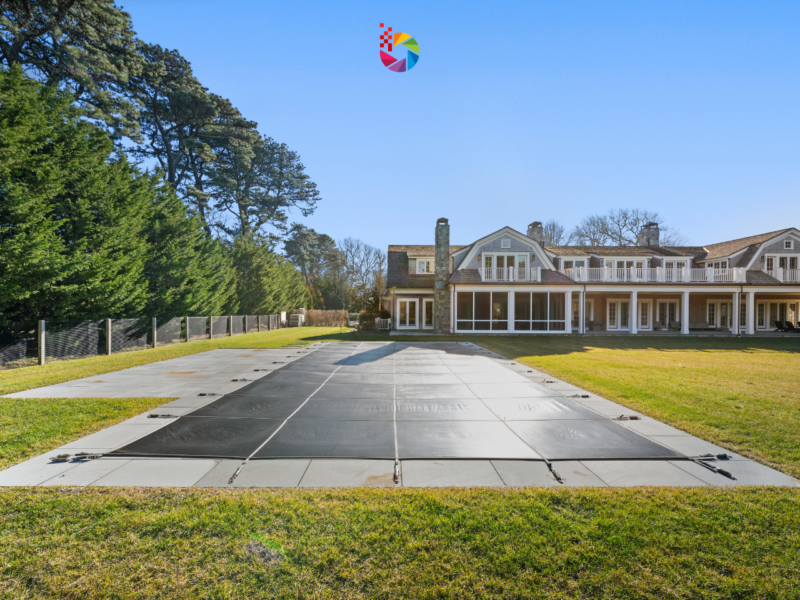
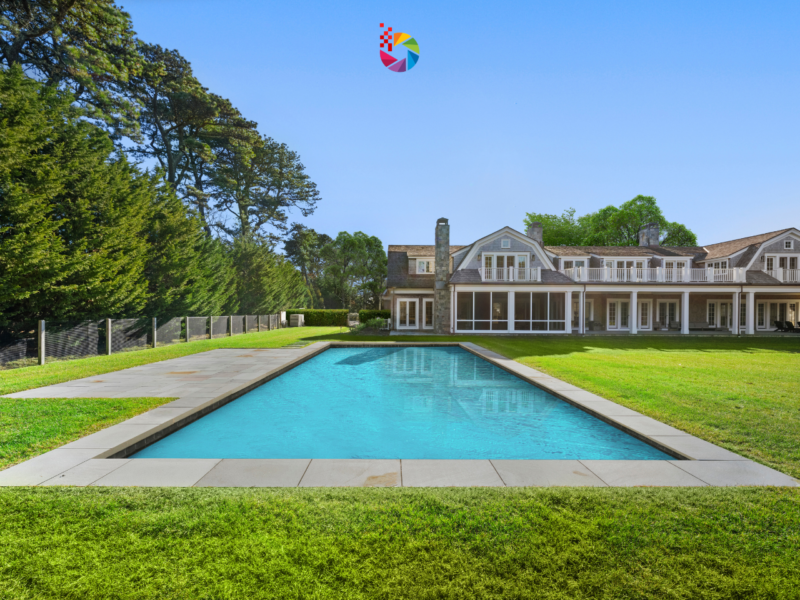
Advance retouching covers the issues that show up on almost every shoot. This plan removes sale yard signs, parked cars, and leaves floating in the pool or scattered across the floor and driveway. It also handles pool covers, small clutter around the yard, and pine straw that has piled up on the roof.
Because these fixes stay small and localized rather than structural, editors can clean up the image quickly while keeping every other detail untouched. Consequently, advanced retouching works well for listings that are mostly ready to shoot but need a few finishing touches before they go live.
If your property is finished and well-maintained, yet the shoot happened on a less-than-perfect day, this tier usually solves the problem. For example, a homeowner who forgot to move their car, or a yard with a light scattering of autumn leaves, fits squarely into this category.
Retouching Extreme: Solving Bigger Visual Challenges
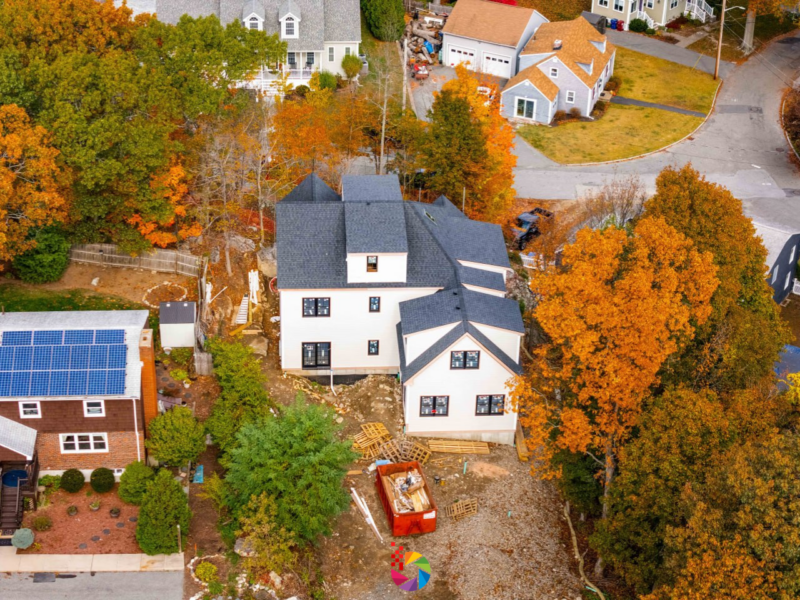
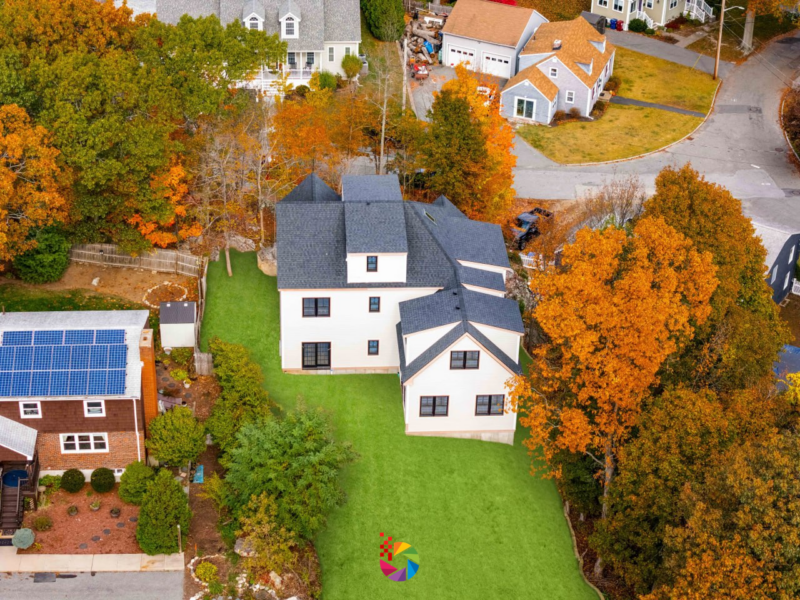
Extreme retouching steps in when the fix involves more than a quick cleanup. This tier includes Virtual Summer conversions, which turn a dull or out-of-season yard into a lush, green landscape. It also removes large objects that cover up to a quarter of the picture, and it fills in missing details for properties that aren’t fully built yet.
Unlike advanced edits, these changes often require editors to reconstruct part of the scene rather than simply erase an object. Therefore, extreme retouching demands more time, more skill, and a closer eye on lighting and texture so the final result still looks believable.
This plan fits properties under construction, homes photographed in the wrong season, or shots where a large truck, dumpster, or piece of equipment blocks a major part of the frame. In each case, a simple removal wouldn’t be enough; the scene needs real reconstruction to look complete.
Retouching Advance vs. Extreme: A Side-by-Side Comparison
The table below highlights the core differences between the two plans.
| Criteria | Retouching Advance | Retouching Extreme |
|---|---|---|
| Scope of edit | Minor cleanup and object removal | Scene reconstruction and major changes |
| Typical fixes | Signs, cars, leaves, pool covers, small clutter, roof debris | Virtual Summer, large object removal, unfinished property details |
| Property condition | Finished and mostly presentation-ready | Under construction, wrong season, or heavily obstructed |
| Editing complexity | Straightforward, localized adjustments | Detailed, often involves rebuilding parts of the image |
Reading this table side by side makes the decision much clearer, since it lines up each plan against the exact problem you’re trying to solve.
Which Retouching Plan Should You Choose?
A few quick questions can point you toward the right plan. First, ask how much of the frame the problem actually covers: a car in the corner is very different from a dumpster blocking half the yard. Second, consider whether the property is finished, since unfinished construction almost always calls for Extreme retouching rather than Advance.
Finally, think about whether the season matches the mood you want to sell. If a home was shot in bare winter but you want it to look inviting in summer, Virtual Summer under the Extreme plan handles that transformation. When you’re still unsure which tier fits, reaching out to BeatColor’s team for a quick photo review is often the fastest way to get a clear answer.
Conclusion
Both retouching plans share the same goal: making a listing look as attractive and move-in ready as possible. Advance retouching handles the everyday distractions that pop up on almost every shoot, while Extreme retouching tackles bigger challenges like unfinished construction, seasonal mismatches, and large obstructions.
Choosing between them mainly comes down to scale. Small, localized fixes belong in the Advance plan, whereas anything requiring real scene reconstruction calls for Extreme. Explore BeatColor’s retouching service to see sample edits and find the right plan for your next listing.