
Smart Photo Editors: Pros, Cons and Top Alternatives

Photo editing has entered a strange new phase. Not long ago, photographers needed advanced software and considerable editing experience.
Now, AI can remove objects, replace skies, improve lighting, and modify images through simple instructions.
However, smarter does not always mean better.
Modern photo editors can dramatically reduce repetitive work. Yet, they can also introduce changes that photographers never requested.
That creates an important question.
Which smart photo editors actually improve your workflow without sacrificing control?
For 2026, the answer depends heavily on your editing needs, image volume, and desired level of control. AI-first tools suit fast, creative adjustments. Traditional editors remain stronger for detailed professional work.
Meanwhile, hybrid workflows increasingly offer the best balance.
The 2026 Photo Editor Scorecard
Instead of ranking editors by features alone, consider these five questions:
| What matters? | Why it matters |
| Speed | Large batches require efficient processing. |
| Accuracy | AI should not alter unintended details. |
| Control | Professionals need precise adjustments. |
| Consistency | Similar images should produce predictable results. |
| Workflow | Good software should reduce repetitive tasks. |
This approach changes how you evaluate photo editors. A tool with hundreds of features may still slow you down. Conversely, a simple editor can become extremely valuable when it handles repetitive work efficiently.
What Makes a Photo Editor “Smart”?
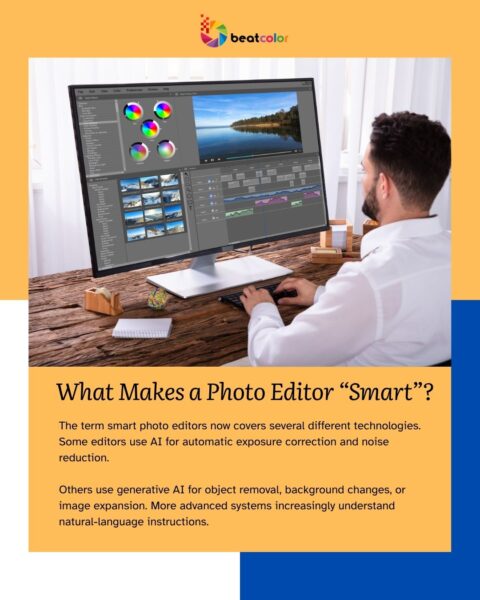
The term smart photo editors now covers several different technologies. Some editors use AI for automatic exposure correction and noise reduction.
Others use generative AI for object removal, background changes, or image expansion. More advanced systems increasingly understand natural-language instructions.
Recent research shows that instruction-based image editing has developed rapidly. Researchers now study text-driven editing as a major direction for image software.
This means users can increasingly describe the desired result instead of manually adjusting every setting. For example, a photographer might request a cleaner background.
The software can then identify the relevant area and perform the adjustment automatically. That sounds revolutionary. However, there is still an important limitation.
The Biggest Problem With AI Photo Editors
AI editing can misunderstand precision. AI systems sometimes change details beyond the requested area. That becomes especially important for professional photography.
Imagine editing a real estate photograph. The goal might be removing a small object from a countertop.
A generative editor could remove the object successfully. However, it might also alter nearby textures or architectural details.
For casual social media content, that may be acceptable. For commercial photography, it can create additional quality-control work.
Therefore, precision remains one of the biggest differences between smart and truly professional photo editors.
Where Smart Photo Editors Shine
1. Repetitive Corrections
AI performs particularly well when the same type of adjustment appears repeatedly. Exposure correction is one example. Noise reduction is another.
Similarly, batch processing can save considerable time. Instead of adjusting every photograph individually, users can apply consistent changes across an entire collection. This advantage becomes significant for photographers handling hundreds of images.
2. Object Removal
Removing unwanted objects has become one of the most accessible AI editing features. Modern tools can identify objects and reconstruct surrounding areas automatically. Previously, this required considerable cloning and masking work.
Now, many photo editors can complete similar tasks with minimal manual input. Nevertheless, complex backgrounds still require careful inspection.
3. Background and Sky Editing
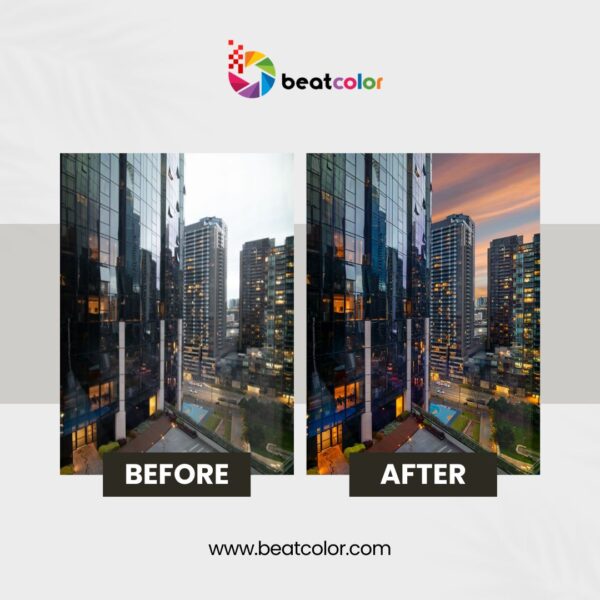
Sky replacement has become another common AI-assisted workflow. This feature is particularly useful for outdoor and real estate photography. However, realistic results require more than inserting another sky. Lighting, reflections, shadows, and color temperature should also remain believable. That is where human review still matters.
4. Faster Creative Experimentation
AI also makes experimentation easier. Users can test several concepts without rebuilding an image from scratch. Consequently, designers can explore ideas faster. This makes smart photo editors useful beyond traditional photography.
Where Traditional Editors Still Win
AI has not made traditional editing irrelevant. In fact, professional workflows often combine both approaches. Adobe Lightroom remains valuable for organizing, developing, and batch-editing large collections.
Photoshop provides deeper control for detailed retouching and compositing. This combination remains practical because different tasks require different levels of precision.
A recent 2026 comparison similarly highlights Lightroom’s strength in photography workflows and Photoshop’s deeper editing capabilities.
Therefore, choosing between AI and traditional editing can be the wrong question. The better question is which parts of your workflow should be automated.
Three Types of Smart Photo Editors
Type A: AI-First Editors
These tools prioritize speed and automation. They work well for users who want quick improvements without mastering complicated controls. They are particularly useful for social content, basic enhancements, and repetitive corrections. However, advanced users may find their controls restrictive.
Type B: Professional Editing Suites
These platforms combine extensive manual controls with AI assistance. They require more learning. However, they provide significantly greater control over the final image. This category remains attractive to professional photographers and creative teams.
Type C: Hybrid Editing Services
This approach combines software automation with human editors. It can be useful when businesses need large volumes without building an internal editing team. The workflow typically handles repetitive corrections automatically. Human editors then review difficult images and make more precise adjustments. For real estate photography, this model can be particularly practical.
Smart Photo Editors for Real Estate Photography
Real estate photography has unique editing requirements. Images must look bright and attractive.
However, they must also remain realistic. Perspective correction, HDR processing, window exposure, sky replacement, and object removal are common requirements.
Current 2026 industry guides continue to emphasize these features when evaluating real estate editing software. AI can accelerate many of these tasks.
However, property images require special attention to architectural accuracy. A distorted window or unrealistic room color can negatively affect the listing.
Therefore, real estate professionals should prioritize consistency over dramatic AI effects.
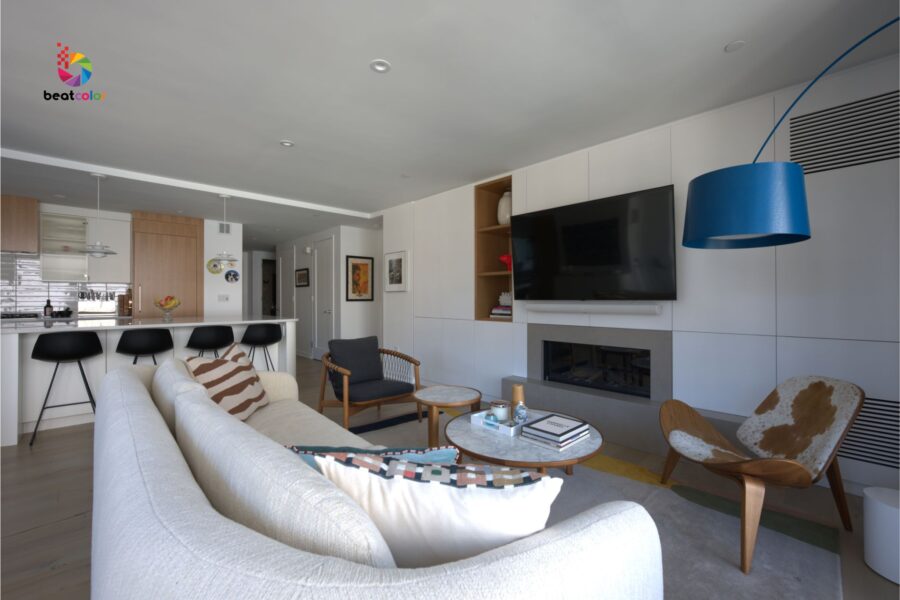
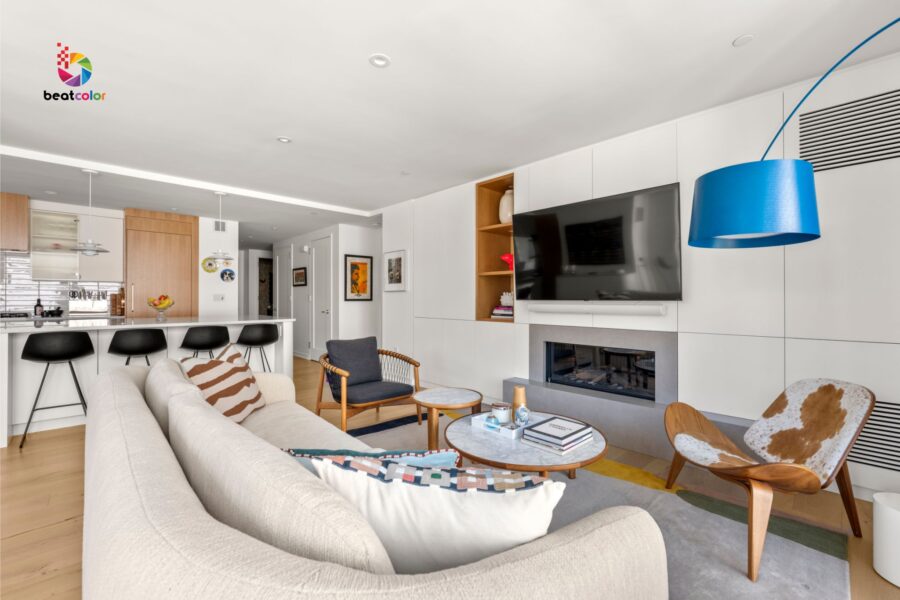
Smart Photo Editors: Pros and Cons
The Pros
Faster workflows: Automation can reduce repetitive editing.
Batch processing: Large image collections become easier to manage.
Lower learning curve: AI reduces the need for advanced technical knowledge.
Creative flexibility: Generative tools make experimentation faster.
Better accessibility: Beginners can achieve professional-looking results more easily.
The Cons
Unpredictable changes: AI can modify details unintentionally.
Limited control: Automated results may not satisfy demanding professionals.
Inconsistent outputs: Similar prompts can sometimes produce different results.
Quality concerns: Generative editing can create unrealistic textures or details.
Subscription costs: Advanced features are increasingly tied to paid plans.
The right choice therefore depends on your priorities.
What About Alternatives?
There is no universal winner among modern photo editors.
Adobe Lightroom and Photoshop remain strong choices for professionals seeking control and established workflows.
Zoner Studio offers an interesting alternative for Windows users. Its 2026 version combines organization, RAW development, editing, printing, and AI features.
ACDSee Photo Studio Ultimate 2026 provides another professional alternative. It combines advanced editing with features such as AI denoise and sky replacement.
Meanwhile, AI-first platforms can make sense for users prioritizing speed.
The best option depends on your actual workload.
A Better Way to Choose
Before choosing smart photo editors, test them against real images. Do not rely solely on promotional screenshots.
Instead, prepare five challenging photographs. Include a dark interior, outdoor image, portrait, cluttered scene, and difficult lighting situation. Then compare the results.
Check four things:
- How accurate are the edits?
- How much manual correction remains?
- How consistent are the results?
- How much time does the workflow save?
This method provides more useful information than a long feature list.
Final Thoughts: Smart Does Not Mean Automatic
Smart photo editors have changed photography. They make complex adjustments faster and more accessible. Nevertheless, professional editing still requires judgment. The strongest workflows in 2026 are increasingly hybrid. AI handles repetitive work. Professional software provides deeper control. Human editors handle difficult decisions.
That combination offers something pure automation still struggles to provide: consistent results with intentional creative control.
So, should you use smart photo editors?
Yes, but strategically. Choose automation where it saves time. Keep manual control where accuracy matters.
And always judge the final image rather than the technology behind it.
For photographers, agencies, and real estate businesses, that mindset is likely to matter more than choosing the newest AI feature.
Read more:
PhotoUp vs BeatColor: Pricing, Quality and Turnaround Compared
Virtual Staging Services: Complete Buyer Guide
Real Estate Marketing Trends Every Realtor Should Know in 2026