
Best Virtual Staging Software for Real Estate Professionals

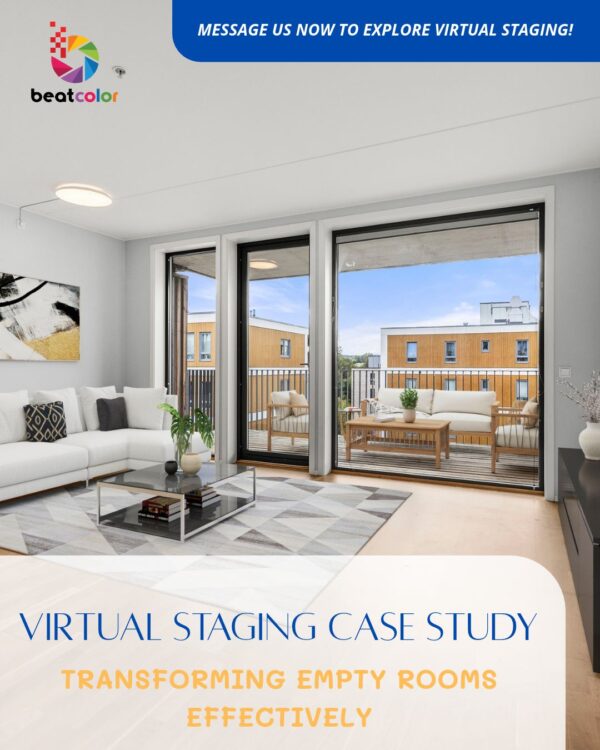
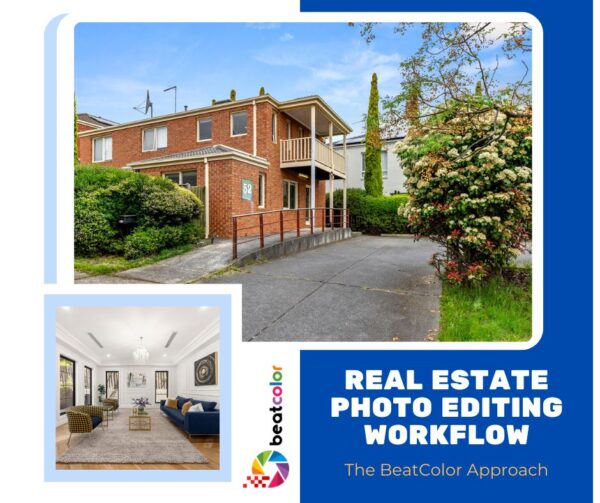
Virtual Staging Software helps real estate agents, photographers, and property marketers turn empty or outdated rooms into polished, buyer-ready photos. Instead of renting furniture and scheduling movers, professionals can now add photorealistic decor to a photo in minutes. This guide breaks down what virtual staging software actually does, what features matter most, and how to choose the right tool for your listings.
What Is Virtual Staging Software?
Virtual staging software lets users digitally add furniture, decor, and design elements to photos of empty or lightly furnished rooms. Some tools rely on AI to automate the process. Others combine automation with manual design work from a human stager. Either way, the goal stays the same: make a room look inviting, functional, and market-ready without touching the physical space.
Most platforms also include extra features. These often include item removal, sky replacement, twilight conversion, and room renovation previews. As a result, many professionals use virtual staging software as a full editing suite rather than a single-purpose tool.
Key Features to Look For in Virtual Staging Software
Not all virtual staging software works the same way. Before choosing a platform, consider these core features.
1. Realistic Furniture Rendering
The furniture should match the room’s lighting, shadows, and perspective. Poor rendering creates an obvious “pasted-in” look that buyers notice right away. Therefore, always check sample images before committing to a platform.
2. Style and Furniture Variety
Different buyers respond to different design styles. A strong platform offers multiple styles — modern, traditional, farmhouse, minimalist, and luxury — so agents can match staging to the target buyer demographic.
3. Turnaround Time
Speed matters, especially for agents managing multiple listings at once. Many platforms deliver staged images within 24 to 48 hours. Some AI-driven tools even generate results in minutes.
4. Editing and Revision Options
Listings sometimes need adjustments after the first draft. Look for software that allows revisions, furniture swaps, or style changes without starting the process over from scratch.
5. Compliance and Disclosure Tools
Many MLS platforms require a disclosure watermark on virtually staged photos. Good software includes this automatically, which helps agents stay compliant without extra manual work.
6. Virtual Staging Software Pricing Structure
Pricing models vary widely. Some platforms charge per image, while others offer monthly subscriptions or bulk packages. Photographers handling high listing volume should compare per-image costs carefully before choosing a plan.
Popular Types of Virtual Staging Software

Virtual staging tools generally fall into three categories, and understanding the differences helps professionals pick the right fit.
AI-Automated Virtual Staging Software
These tools use machine learning to detect room dimensions, lighting, and layout, then generate staged furniture automatically. They tend to be the fastest and most affordable option. However, they sometimes produce less nuanced results in complex or unusually shaped rooms.
Human-Designed Services
These platforms pair customers with professional designers who manually stage each room. Turnaround takes longer, but the results often include better attention to detail, especially for luxury listings or unconventional layouts.
Hybrid Platforms
Hybrid tools combine AI speed with human quality control. An algorithm generates the initial staging, and a designer refines the result before delivery. This approach balances cost, speed, and visual quality, which makes it a popular choice among growing photography studios.
How to Choose the Right Virtual Staging Software for Your Business

Selecting the best virtual staging software depends on a few key factors specific to your workflow.
Listing volume : High-volume photographers usually benefit most from AI-automated platforms, since speed and cost efficiency matter more at scale.
Property type : Luxury or architecturally unique properties often look better with human-designed or hybrid staging, where nuanced judgment call matters more than raw speed.
Budget : Per-image AI staging tends to cost less upfront, though subscription plans can offer better value for agents staging many rooms each month.
Brand consistency : Agencies that want a consistent visual style across all listings may prefer a dedicated design team rather than fully automated tools, since human stagers can maintain a recognizable aesthetic.
Benefits of Using Virtual Staging Software
Lower Costs Compared to Physical Staging
Physical staging requires furniture rental, delivery, and pickup logistics. Virtual staging software eliminates these costs almost entirely, which makes staging accessible even for lower-priced listings.
Faster Listing Timelines
Because virtual staging skips physical logistics, listings can go live much faster. Agents no longer need to wait on movers or designers to schedule an in-person staging appointment.
Easy Style Testing
Software makes it simple to preview multiple design styles for the same room. Agents can then choose the version that best appeals to their target buyer, without any physical rework.
Virtual Staging Software Scales for Any Listing Volume
Whether staging one room or fifty listings a month, software scales more easily than physical staging services, which often have limited furniture inventory and scheduling capacity.
Common Virtual Staging Software Mistakes to Avoid
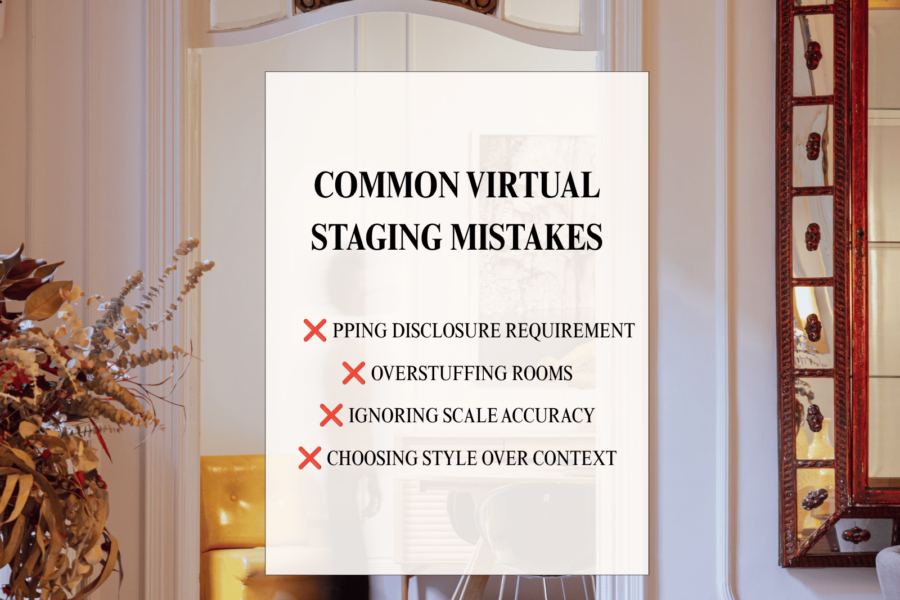
Even with good software, a few common mistakes can undermine results.
Skipping disclosure requirements : Always confirm your MLS’s rules on staged photo disclosures before publishing listings.
Overstuffing rooms : Adding too much furniture can make a room look smaller and cluttered instead of inviting.
Ignoring scale accuracy : Furniture that looks slightly too large or small breaks the illusion instantly, so always review renders carefully before publishing.
Choosing style over context : A style that doesn’t match the property’s architecture or neighborhood can feel disconnected, even if the furniture itself looks great.
Conclusion
Virtual Staging Software has become an essential tool for real estate professionals who want polished, buyer-ready photos without the cost and hassle of physical staging. Whether you choose an AI-automated platform for speed, a human-designed service for nuanced quality, or a hybrid solution that balances both, the right software depends on your listing volume, property type, and budget. By focusing on realistic rendering, style variety, fast turnaround, and compliance features, agents and photographers can confidently choose a platform that elevates their listings and helps properties sell faster.
Read more:
Common Virtual Staging Mistakes and How to Avoid Them
Empty Room Virtual Staging: Examples and Benefits
Virtual Staging Before and After: Real Property Transformations